December's digital art project is about fonts and text and making art and being creative.
After finishing this piece I really want to make a few more. I plan to have this printed on canvas for sure. I have a few quotes in mind...Now to go play some more.
Showing posts with label photoshop. Show all posts
Wednesday, December 21, 2016
Wednesday, March 30, 2016
Beauty
"Every girl longs to hear that she is beautiful. Her heart needs to believe it's true. But her true beauty radiates from within. And as she ages, she realizes the mirror isn't the true reflection of her beauty after all." -rh
My second 'mixed media' type piece. I'm taking several classes this year some of which don't have anything to do with the others, but somehow they are melding together and I'm creating mixed media type work in Photoshop (and some on my iPad in Procreate.)
Wednesday, March 16, 2016
Freeing Memory
This is a bit off my normal course of information that I post about but.... I'm just a tiny bit of a tech geek. Actually I know just enough to get by and sometimes get in trouble.
This is all MAC related but if you use a PC there is a version for you. I just haven't included those links.
There is great little app called Free Memory. When I still had my old 17" Macbook Pro that I just wouldn't give up, it was a life saver. (I still miss the screen real estate just not the weight.) Now that my desktop is nearing 4 years old, is very full, and I can't seem to figure out what to trash, I remembered that little gem and opened it to see how everything was going in Memoryland.
It shows in the menubar the current free and available memory your computer is using. Mine was showing 5 GB. Photoshop could probably run much better with more. You just click on the amount showing on the menu bar to get the little window to pop up, then click Free Memory. In a few seconds you'll get a new and larger amount. Mine increased to 8.03! Yippie! How simple can that be?
And if you go to Usage Details it gives you some extra information.
We'll guess what? When I browsed to get a link for the app I found it not longer existed. But I found a couple others with high ratings.
Memory Purge looks similar to mine. It was just updated last fall so it doesn't have as many reviews as the next.
Memory Monitor looks very well liked,
updated last summer.
Go to
I'm anxious to see how Photoshop will run today since I have this at my fingertips.
I will be getting one of these for the new laptop! And since they are free, what's stopping you?
I just had a strange thought about my computer having memories. I wonder if it dreams at night too?
A little update: As I worked on the computer most of the day I noticed it would go as low a 2 GB while in Photoshop so this was a great fix and it would always boost back up to nearly 8. Am I happy? You bet.
Wednesday, February 24, 2016
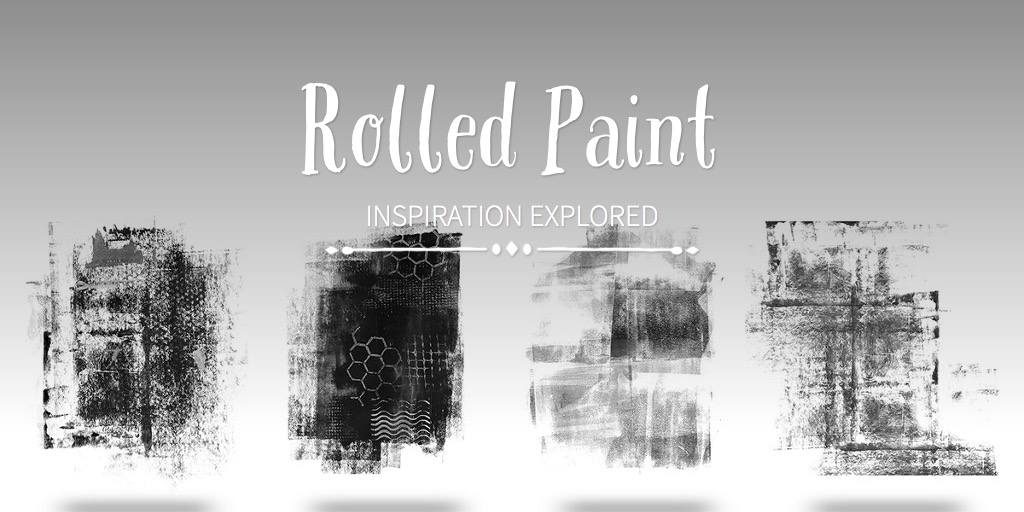
Digital Rolled Paint
My first Slate story was used to advertise my new brush set. This is an experiment to see if it will embed in my blog. If not, go here to check it out.
Wednesday, November 4, 2015
Color
I've always been a huge fan of color. Any color! In my quilting days I would always get comments like, "I never would have thought to put those colors together." It's what set me apart as a quilter from a lot of others. That was 20 years ago. Now those color combinations are very much normal in today's world of fashion and decor.
But for some reason I've had a harder time with that use of color in my digital art. The difference? Fabric sits right there in front of you and you can rearrange to your hearts' content. Creating digitally on the computer reminds me a bit of painting. A blank canvas, maybe an idea, but essentially you are creating from nearly nothing. Sometimes I feel like that on my computer. And for me that is hard.
Latest digital art piece using several mobile apps and photoshop.
And for some reason the past couple years I have acquired an attraction to very neutral colors. They can be very striking but also boring in some cases.
Mobile art, Stackables
The next goal to explore in my art will be to attempt to recapture beautiful and perhaps unusual color mixes.
When I go to the movies these days, I watch like a photographer would be looking through their lens. Sometimes it's better than the actual story.
I discovered this awesome video done by Rishi Kaneria on Vimeo, ROYGBIV: A Pixar Supercut. Now I'll be looking at 'color tones' a lot more while at the movies.
I tried to embed the video and google wouldn't let me for some strange reason. So here is the link, you will love it!
Labels:
color,
digital art,
Mobile art,
photoshop,
pixar,
ROYGBIV,
Stackables,
video
Tuesday, January 13, 2015
Texture Tuesday Jan 13
I wish I could say this was a family photo. I found it an antique shop. It does look like it could be my dad though. The spoons were my grandmothers.
Textured with Kim's Magic and Epic textures.
I had a different view and edit on my Instagram feed using Phototoaster.
If you missed Mobile Art Monday and would like a chance to win a code for the Stackables app go check it out.
Linking up with Kim for Texture Tuesday.
Thursday, September 25, 2014
Friday Finds Sept 26
It's been a week of discoveries……
Probably the most important is about myself.
1. I used to be a 'leader'. Now I am more of a follower. I say this because I can't seem to get anything accomplished unless I have an assignment. Someone telling me what to do and a dead line. I've always needed a deadline it seems. I first realized this when my scrapbook designers group was required to do two collaboration kits per year. I had no problem getting going. A color palette was supplied and a theme. Now if I was to come up with something on my own, I'd be dead in the water. Hence I have not produced much this year (or last year). I've made some brushes and texture packs, which seem to be more my thing. So I should probably concentrate my focus there. I haven't had the urge to do many scrapbook pages anyway.
I've so totally enjoyed my evolving in still life photography through Kim's Bestill52 and the Still life class. But again, assignments. Some get done, some don't. But it seems those are the only things staring me in the face. And they are the type of little projects that don't take days and weeks. You can achieve a fulfilling accomplishment in a few hours. Ahhhh, so much for instant gratification.
So what am I to do with this information? Give myself assignments? I've tried that, apparently I don't take myself seriously enough. I think it's because I don't believe in myself enough. Or that requires some sense of responsibility and that, it seems, is what I DON'T want. To not have to answer to anyone. Am I confused? Or an I making some progress here? Perhaps some new hormones and and new thyroid might help.
2. We've had so much rain lately my silly zinnias are spouting their seeds on the flowers. I've not seen such a crazy thing before.
3. I found this 'scan' I did a few years back while cleaning out my old laptop. It reminded me of the dark organic things the Bestill52 class is doing. I added Kim's magic texture to it and some color like she described on Tuesday. I wasn't too thrilled with it 4 years ago, but I really like it now.
4. This sweet yellow bird sang it's heart out in my long gone sunflowers. A Wilson's Warbler I'm told, by Kathy, my birding friend. It wasn't scared of me so I snapped away. I had been shooting the zinnias and caterpillars with my 100 lens. I was praying the whole time that one would turn out. I'm sure he's just passing through so I will be keeping an eye out for more travelers.
5. I took a walk through the yard and collected green leaves and dried stuff. I processed the leaves with Snapseed and love all the versions I made for different reasons. Do you have a favorite?
Here's to a great weekend!
Linking up with Kim for Friday Finds.
Tuesday, September 2, 2014
Time to Cook
My cooking is in high gear this time of year. Jelly (oops did I say jelly?) Since we went sugar-free last December the sweets have been few and far between. (Except for my chocolate addiction that is new…aghhh!) But I did make a batch of choke cherry jelly to go with my Gluten-free bread. That should be ok, right? More of that later.
I've been wanting to share my version of the recipe I use. It's a High Protein Bread and it came from the Skinny Chef. But I've changed it to my liking.
I the first thing I do is put three eggs in hot water to bring them to room temperature fast.
All the dry ingredients are measured and mixed except the yeast.
The wet ingredients are prepared.
I have discovered the lazy way to beat an egg. Put them in a jar and shake vigorously. (Unless you're cooking with duck eggs, their yolks may not break.)
Put the wet ingredients into the bread maker first. Carefully pour in the dry ingredients. Add the yeast.
I let it stir/knead the dough for about 12 minutes. Turn it off and let it raise 1 hour and 15 minutes. Then turn the setting to bake only for 1 hour. Gluten free bread does not raise well if it's kneaded more than once. So this has worked for me. Even the gluten free setting on the machine kneads it twice.
It has a bit of a corn bread consistency, very moist and makes great toast. It makes a pretty good tuna sandwich also.
High Protein Bread
Mix together and pour wet ingredients into bread machine first.
Heat to 3/4 cups water
110º 1/2 cup half & half or cream
1/4 cup melted coconut oil
1/4 cup organic honey
3 eggs (I warm them under hot water), beaten
1 T. apple cider vinegar
1 cup GF Millet flour
1 cup finely ground Almond meal
1 cup garbanzo bean flour
1/4 cup tapioca starch/flour
1/4 cup potato starch/flour
3 tablespoons ground flax meal
1 Tablespoon Xanthum Gum or Guar Gum.
1 teaspoon salt
1/3 cup whole seeds of your choice (I use a mixture of millet, sesame and chia)
Pour 1 tablespoon active yeast or Bread Machine yeast on top of dry ingredients. Do not mix in or get near the edges.
Knead in machine for approx 12 min.
Turn off and let rise 1 hour or more. Turn machine to bake for 1 hour.
Linking up with Kim for Texture Tuesday.
Monday, August 18, 2014
Flowers of the Sun
Better known as sunflowers….
I have volunteers in my veggie garden and flower garden every year. This year they nearly took over the veggies. The finches visit every day and now the dove are gleaning from the ground.
Very few farmers plant sunflowers here. There are usually a few fields along a 7 mile stretch of FM 1585, but this year only one. This field held two varieties. Part was planted with the large heads and short stalks. Another part of the field was smaller flowers, taller plants.
I was hoping to photograph them this week as it appeared they were at peak when we drove by Saturday night. We had been out 'cloud watching'. Storms were brewing to the East and the sun was about to go down. I have a great iPhone shot and edit of these clouds with the sunflowers in the foreground, but you'll have to come back tomorrow for App Happy Wednesday.
This morning I woke up around 5:30 which is highly unusual. Since sleep didn't return it was the perfect chance to grab coffee and camera, leave hubby a note, and look for the light.
The large sunflowers were actually past their peak but I like these types of photos too. I will have to revisit when they turn brown.
The smaller flowers were like those I'd photographed last year. They were the type that I found the sunflower with the heart. So I was on a mission to find another. A few came close. But not as perfect as last year's flower. This was the closest….
Then I found an eaten leaf. Perfect…..
A butterfly showed up…..
I have volunteers in my veggie garden and flower garden every year. This year they nearly took over the veggies. The finches visit every day and now the dove are gleaning from the ground.
Very few farmers plant sunflowers here. There are usually a few fields along a 7 mile stretch of FM 1585, but this year only one. This field held two varieties. Part was planted with the large heads and short stalks. Another part of the field was smaller flowers, taller plants.
I was hoping to photograph them this week as it appeared they were at peak when we drove by Saturday night. We had been out 'cloud watching'. Storms were brewing to the East and the sun was about to go down. I have a great iPhone shot and edit of these clouds with the sunflowers in the foreground, but you'll have to come back tomorrow for App Happy Wednesday.
The large sunflowers were actually past their peak but I like these types of photos too. I will have to revisit when they turn brown.
Textured as shown with 2 of Kim's textures.
A sun flare...
And the farmer cultivated his cotton nearby...
I had almost forgotten to make use of the polarizing filter that was on my lens. This is SOOC. (straight out of camera) I should have bumped up my exposure a bit...
I was on my knees shooting up when another strange bug showed up. At first I thought it was a dragonfly. It was buzzing around rather high, nearly over head. It was too large for a dragonfly and it was making me nervous. I took a couple shots of it and it flew off. Vain imaginations ran through my head about it being a drone. (Seen too many movies lately.) Hubby said if it was a drone it, it would hover. Well it did hover… But hopefully it was a bug. If you recognize it let me know.
On the way home I got to photograph the horses that are never close to the road anytime I drive by. I caught them with a little rim light. kk_touchof-1 texture.
I should get up this early everyday… I had the freezer defrosted, some laundry done and a peach pie baked by noon! Thanks for coming along on my early morning adventure.
All edits done in Lightroom.
Linking up with Kim for Texture Tuesday.
Thursday, August 14, 2014
Eroded Borders
My latest favorite way to edit my photos with an eroded border look. This is the texture I had posted about yesterday transformed to a square.
To make this work for this technique I needed to invert it (Command/Control I in Photoshop) to make the center black and the edges white.
My photo is placed on top of my 'textured' layer and the blend mode is changed to screen.
What makes this work is that the light areas of the lower layer will cause the top layer to disappear. The areas of your bottom layer that are totally black will cause that area of your photo to show 100%. Areas that are totally white will be 100% white. Areas that are shades of grey will be different percentages according to their darkness.
But if you want to go for an even different look how about using the colored version instead of black and white? My original was very orange colored and I need the darkness at the center so I inverted it and ended up with this.
If I replaced the black and white with it the result is very different. I could have done this on my iPad too and just for grins, I think I will and post it to Instagram. I think it's begging for text or other goodies too.
Tuesday, May 27, 2014
Texture Tuesday May 27
It's the free and easy edition today, over at Kim's Texture Tuesday. Something I've been waiting for! So guess what? You are getting more peonies and a text tip.
This first one is textured with kk_0405 and kk_simple2. Layers shot below.
Here's a tip….After you've finished your quote…
- Merge the text layers together.
- Make a selection by Command(Control) clicking the thumbnail of that layer.
- Click on the eyeball to turn off the visibility of the text layer.
- In the Adjustment panel (or Menu) add a Levels adjustment layer. Your selection will disappear and look like nothing has happened.
- Now adjust the levels slider by pulling the left slider to the right to darken and reveal your text.
I posted this yesterday but just had to show it again. I'm trying to work through the Start2Finish class a second time around and make improvements. A collage from the above shoot with my peonies starting to dry up.
Come on over and check out what everyone's been texturing.
Tuesday, April 22, 2014
Texture Tuesday 4-22
It's Texture Tuesday time and the theme is simple. I couldn't help but pick the first three daisies as they were opening yesterday. How much simpler can you get?
kk_isobel Softlight 100%, kk_violet Softlight 42%. And a curves adjustment in the blue channel. Font, Sweetly Broken. Shot with my Lensbaby Double Optic f/5.6 with the +4 macro. I usually like to shoot with the sweet spot off center but liked this one the best.
Here is one with the focus up to the left on the petals with just a few edits in Camera Raw. I definitely prefer the added texture and the color shift.
Come over and check out all the amazing texture at Kim's.
Subscribe to:
Posts (Atom)