
Showing posts with label brushes. Show all posts
Showing posts with label brushes. Show all posts
Wednesday, February 24, 2016
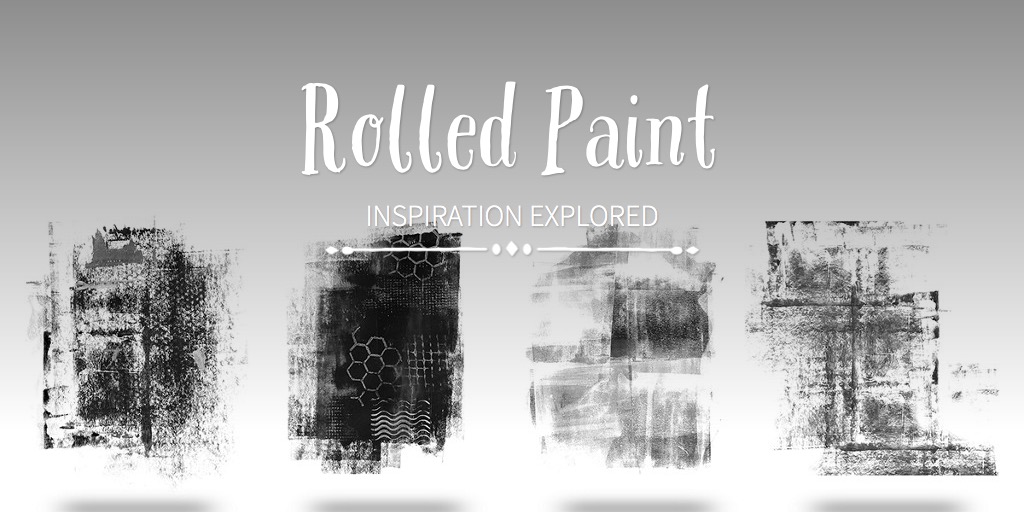
Digital Rolled Paint
My first Slate story was used to advertise my new brush set. This is an experiment to see if it will embed in my blog. If not, go here to check it out.


Thursday, July 18, 2013
More Poppies Please
Yes, I'm going to milk these poppies for all they're worth.
 Chevron brush from Fragments Too available here.

 And the starkness of this shot.


I like the 'translucent-ness' of these.

I've recently gotten a new iMac and I've been frustrated over the 'little things'. Like my icons previews have been disappearing. Then I go open a folder and they're stacked on top of each other and all over the place. I've been a Mac girl forever and this is the worst transition I've ever had. At least my Photoshop is running faster than ever. But sometimes my curser disappears. I threw the Finder preference file in the trash and restarted. That helped with the preview problem. It's hard to get any work done around here!
Thursday, May 23, 2013
The Peony Chronicles Day 5
It's time for some close ups.

 Did you know, that if you decrease the saturation, especially of red shades, you can bring out the detail in your flowers. Last year I took photos of true red poppies and they looked like a solid circle of red with no detail or depth.
I did over do the de-sat on the following photo but I love the light pink. I've added a brush overlay that matches the background color and set it to overlay and reduced the opacity, so it is very subtle. It was removed from the flower by masking. Now that I see it with the rest, I think I may go back and crank up the vibrance a bit.

 I can't believe it's a holiday coming up! I'm looking forward to a nice restful weekend, how about you?
I did over do the de-sat on the following photo but I love the light pink. I've added a brush overlay that matches the background color and set it to overlay and reduced the opacity, so it is very subtle. It was removed from the flower by masking. Now that I see it with the rest, I think I may go back and crank up the vibrance a bit.
Sunday, May 19, 2013
Peonies Amour

3.5f, 1/500, 400ISO Canon 100mm
I've come to like this spot for morning light to shoot flowers in a vase. Often time you'll see a wine bottle in the background that I've saved because it is my favorite wine and it just looks good there.Lightrroom split toning.
Supplies: Fragments Brushes plus some new, soon to be released textures and backgrounds.
Thursday, May 2, 2013
Fragments and Overlays and Brushes
Introducing Candace Overlays, Allyse Overlays, & Fragments Brushes. All are sale this weekend for the big National Scrapbooking Day Celebration. If you missed my free papers made with some of these overlays, check this post.


A little Day 14 homework from my B2 class. A few of my iris have bloomed between freezes.
You'll find these in my ESS store, everything is 50% off through the 6th.
One of the cool things about the Fragments brush set is that if you use CS6 there is a special set for you that is 3600px x 3600px. Perfect for the whole page.
Thursday, March 21, 2013
Chalk it Up To Kim
I've loved the chalk look that's quite popular right now but didn't realize how much fun it would be to do it. Part of the Beyond Beyond Day 8 lesson referred to this tutorial on making chalk board text. I picked a favorite quote, added some birds from my brush set Art Journal brushes, the edge damask (same brush set, there is also a CU version) and then attempted to add a photo that appeared to also be chalked on.
My base was kk_chalkmagic 100%,
kk_addsomenoise1 screen 39%
I did the birds and border following the tutorial. The only thing in addition that I did was add a little brushwork with a chalk brush in white where I wanted it to look more chalky. (birds especially)
I duplicated the photo and added a colored pencil filter (I used smart filters CS6) with the settings 6, 11, 28. changed the blending mode to soft light. Then duplicated that layer. I then put those 2 layers into a 'group' and added a mask to brush out the edges and some of the interior. See layers pallet below.


My base was kk_chalkmagic 100%,
kk_addsomenoise1 screen 39%
I did the birds and border following the tutorial. The only thing in addition that I did was add a little brushwork with a chalk brush in white where I wanted it to look more chalky. (birds especially)
I duplicated the photo and added a colored pencil filter (I used smart filters CS6) with the settings 6, 11, 28. changed the blending mode to soft light. Then duplicated that layer. I then put those 2 layers into a 'group' and added a mask to brush out the edges and some of the interior. See layers pallet below.
Tuesday, March 5, 2013
Texture the Baby
It's Texture Tuesday and I love using textures as backgrounds on some of my baby shots. Especially when I catch Hallie with some good 'white' space around her. This is Isobel by Kim Klassen. I think I set it to multiply and turned the opacity down a bit and erased it from her.
 I've also added two layers of a brush from my Art Journal Kit, each in a different color from her skin tones.
Is she not sweet!?! And she's starting to walk!
Come on over to the Cafe for the free and easy edition with Kim Klassen.

Is she not sweet!?! And she's starting to walk!
Come on over to the Cafe for the free and easy edition with Kim Klassen.

Monday, February 18, 2013
New Brushes and a Freebie
Gosh the weeks are just flying by! I've been working on some new brushes and it finally all came together last week. They're perfect for a little 'art journal' touch to your photos or scrapbook pages.
I have a real love for bare trees, especially ones with birds roosting in them. I made these from photographs I had taken, however the flying geese picture didn't pass quality control so I ended up drawing each of them with the pen tool to make them usable. I just couldn't bear to leave them out. (I can still hear them honking.)
I have a personal use set and a commercial use set, both on sale this week. They also include PNG files. The transparent ones that some software can use, but can't use .abr brush files like Photoshop does.

I've made a couple journal papers for you to download here if you like. They will also be free in the store through Friday.

I have a real love for bare trees, especially ones with birds roosting in them. I made these from photographs I had taken, however the flying geese picture didn't pass quality control so I ended up drawing each of them with the pen tool to make them usable. I just couldn't bear to leave them out. (I can still hear them honking.)
I have a personal use set and a commercial use set, both on sale this week. They also include PNG files. The transparent ones that some software can use, but can't use .abr brush files like Photoshop does.
I've made a couple journal papers for you to download here if you like. They will also be free in the store through Friday.
Hope you enjoy these. If you don't journal, maybe it's a good time to start.
Subscribe to:
Posts (Atom)