Showing posts with label iPad. Show all posts

Sunday, February 26, 2017

Mobile Art Monday No. 56


Hope you don't mind as I stray far from my normal editing path. I've been watching a lot of painting videos lately. Jodi Ohl has gotten my total attention. Last week I went to the university book store and bought $150 worth of art supplies. They have a fabulous art department. (About the only thing missing is encaustic supplies.) I re-watched and painted on three at the same time to get some techniques down. They aren't quite finished, probably practice some more on them.

But, in the mean time.... I'd taken a photo of some oil paint left on my palette paper that I'd folded up and trashed. I needed to retrieve it to check a color and loved what I found when I opened it! So I had been playing with it in Superimpose, masking it over a textured background. This is what I ended up with that I decided to take into Procreate and have a play. It doesn't look anything like my finished piece, does it? You may be able to pick out a few light/dark areas is all.


One thing I did that you can see from these layers, is that I duplicated that texture and set the second layer to exclusion. Then I added a lime green layer over it and set the blend mode to Add at 50%. This of course totally changed the color and got me excited. 

Here are a couple of in-progress shots.


I had picked a canvas sized 4000x3000 when I meant it to be square. That's why you are seeing brush marks beyond the edge of the image. I cropped after finishing.

Check this Vimeo link to see the fast motion 25 second video from Procreate.

Hope you're having a great Monday whether you're 'arting' or not.

If  you want to take a cool class, my friend friend Tricia Dewey is starting an iPad class Monday over at Ivy Newport's online class site. I think there may still be spots left... Figurescapes class.

Friday, July 11, 2014

Friday Finds July 11

My coolest find of the week was Sticky 9. I ordered an iPad cover for my new iPad Air from them. Using photos from my Instagram feed, I chose one of their collages, was able to rearrange and replace with ease until I got it just how I wanted it. I was thrilled at the quality of the cover and the timely fashion that it arrived. The company is located in the UK so I thought it might take forever…..not! I highly recommend these guys and that's not something I usually do. They make a lot of other products like iPhone cases and magnets. I have a code that gives you 15% off your first order too. FRIENDX8QB


Come on over to Kim's blog today and see what kind of great goodies everyone has found/discovered this week.
Kim Klassen dot Com

Wednesday, May 28, 2014

App Happy Mextures

It's an App Happy Day with Barb over at Keeping With The Times.

This is 'An Onion Rising' processed in Mextures.

I began with a previously saved formula (So glad for this feature.) which consisted of these three layers all from the Grunge pack:


Painterly
Overlay
Orientation 1
Opacity 40%

Viva La Grunge
Overlay
Orientation 1
Opacity 63%


Viva La Grunge
Multiply
Orientation 3
Opacity 59%


Next I added 4 more layers 
to finish it off.

Baja (Radiance Pack)
Overlay
Orientation 1
Opacity 24%

The rest from the Grit and Grain Pack:
Marble
Overlay
Orientation 1
Opacity 45%

ISO 800
Screen
Orientation 1
Opacity 50%

ISO 800
Screen
Orientation 2
Opacity 53%  
The ISO layers gave me the 'framing' at the top  right and left. If you notice one layer was rotated, same as the Viva La Grunge layer above. This can produce great blending in your photos. 
Another I just discovered… when you are viewing all the layers on your image, you can touch and hold and change the 'stacking order'. Because of the different blend modes and how they can effect what's beneath them, the look will change. You can also turn off the visibility or change the opacity or blend mode of as many layers as you want to tweak your formula for another photo.


I feel like I've barely scratched the surface with this app. Pun intended. Give Mextures a try. It's fabulous!
Keeping With The Times

Saturday, February 8, 2014

Painterly Edits 1 -Introducing Waterlogue

Version 1 (All edits done on iPad)
This is the original photo. (Gosh I was even too lazy to crop this… in the end it didn't matter.)
This is my first edit in Waterlogue, setting - Normal.
My favorite watercolor painted look is with line drawing added. You can nearly achieve this look with the Industrial setting. It didn't have much 'wet' action on the paint though.
This is the way I typically do my watercolor line drawing edits. I'll take the original into iColorama and choose Style>Edges, and pick one of the presets to get a black and white drawing with the size lines and amount of lines I want and save it.
Then I'll open up both edited photos in Image Blender. The painted version on the bottom. (Second photo above.) The line drawing on the top. Change the blending mode to Multiply so the white will disappear leaving only the lines. By default it sets the opacity at 50%. So you may need to increase it. If you want to mask out some of the lines, that is possible here too. I masked out some of the edges.

Version 2
I took the original (first photo above) back into iColorama and found this great color under Style>Sketch>2. So I just had to try it in Waterlogue.
I used the Industrial setting to achieve this.
Very similar results. The only drawback in Waterlogue is that you won't have control over the line drawing. But a similar effect is achieved with just one app.

Wednesday, January 22, 2014

3rd Annual Mobile Photography Awards

Yippie! I have something to shout about! 
I was brave and entered 5 photos in the 3rd Annual Mobile Photography Awards last year. The results are in and after scouring through all the categories I spotted one of my photos.
Honestly, I don't even remember which other ones I entered. I'm sure I have them neatly tucked in a folder somewhere. Here is my photo. It's in the Still Life Category. Check out some of the others here, incredible photography. I'm honored to be among them. I'll take an honorable mention any day.
edited on the iPad with Repix and iColorama.
Yes, that's just the motivation I needed to get this printed.

Sunday, November 3, 2013

Gratitude Day 2

I am grateful for friends that inspire me, like Carol Hart. Not only does her garden look fantastic, she takes awesome photos not just with her camera but her phone too. And she made her iPad cover into a piece of art. She did one layer of paint then used stamps and ink. On mine, I painted one layer then used more paint with homemade 'stamps' and a couple stencils. I also 'split' a turquoise napkin and used gel medium to adhere it and put another coat over the whole thing. I had 2 paint nicks before I got finished but after a week it is still looking good. Carol reminded after it was too late, "go easy on the acrylic (thin coats) because it turns to plastic and will peel off." I've done very little mixed media stuff but it sure is fun. 
Thanks Carol!

Saturday, August 24, 2013

1Photo30Apps Number 8

How about a few painterly apps over the next few weeks? I have several to keep me busy.
Autopainter, very simple to use.


Setting: Aquarell


The original:

Saturday, August 3, 2013

Dermott Texas Cemetery

My most recent cemetery jaunt was just off Highway 87 north of Snyder at Dermott.
This tiny cemetery was a few miles off the road. A little gravel, but that's no big deal.
These were taken on my iPhone and processed on the iPad. I haven't even looked at the ones on my camera. What is with me? Has this iphoneography taken control of me?

First two with Vintique.

Grungtastic.
Mextures App and Snapseed.
Noir Photo, I love this app...


This gate was first edited in Photo Toaster and cropped in Snapseed.
 Then edited in Noir Photo. Yes this app makes great black and whites.
One last shot in Lo-Mob, 6x6TTV70s.
Oh, and I must not forget the critter that greeted me and kept me from relaxing the whole time I was there. A millipede, approximately 7" long. It was good he showed up so easily on the light-colored ground.
Have a great week end!

Sunday, July 28, 2013

1 Photo 30 Apps Number Five

Lo-Mob is a great little app that has wonderful Emulsions, Polaroids, Slides, and 6x6 Vintage edits. 


Lo-Mob. AE TTV Print


And one more for good measure.
'60s Square Emulsion
The original:

Friday, July 5, 2013

Cilantro

Have I mentioned before that I love cilantro? I do. I could eat it in and on everything. Except maybe cereal and milk... It's flowers are dainty and lacy. The seed heads enticing to a photographer. Purplish at the start and golden before they burst forth their seeds. This year they managed to come up all through the lawn. It was the first year the dill DIDN'T. I guess they traded places.
IPhone 5, Olloclip, edits done with PicTapGo and TypicPro and PictureFrames.

Thursday, April 18, 2013

Aspects of Learning

It's interesting to discover things about yourself. This can be good and bad....
I do much better at taking classes where I can just watch a video and do it. This year I've signed up for classes that require me to stop and think, much to my dismay.... It causes me to procrastinate about even READING the lessons. (what is the stumbling block that mind (or heart) seems to throw up when it comes time for such things.)
My most recent class was an expensive one (compared to all others I've taken) and I really felt that it would be a turning point in my photography. (And I'm over a week behind)
Well, this morning I had 2 hours free and just had to MAKE myself go somewhere, get coffee, sit down and read and contemplate and write, as I went through it.
Hallelujah! Break through! I actually made great notes as thoughts came to mind while reading. By the time I finished, the questions listed at the end had pretty much been answered.
Another thing I've found hard in this class is that discussion is held in a Flickr group. This is a new habit I'll have to get into. I post photos occasionally, (I'm much more regular on Instagram, as in daily.) But now that 2 weeks plus have passed, I have tons of 'reading' of discussions to catch up on. And as I finally begin to read I get to know everyone, but unless I join in and post or comment, no one gets to know me. The good thing is I already 'know' a few of the gals and am at least familiar with many others. Mostly from IG or Kim Klassen's texture groupies.
So... my main goal for this class is to LEARN, learn more about what I want to shoot, the second is to get to know the others better.
And yes, I believe this will be a turning point in my photography. Thanks to Kat Sloma.
Snapseed edit on iPhone

PicTapGo, Snapseed,  Glaze, Over
iPad edit Nothing better than a great chocolate cookie, some hydrangeas, coffee and a little morning light.

Friday, March 29, 2013

Happy Easter and Welcome Home

Happy Easter to all!

This will be a very different celebration for us this weekend as our kids moved back from Colorado on Thursday. Homesickness won the battle and son quit trying to convince himself that he wanted to be a personal financial planner. I could have told him that when he changed his major. But no one asked me.
We are just so glad to have that baby girl home. She has changed so much in 3 long months and she's turning 1 in two weeks.
I just finished a digital book that 'My Publisher' printed. I can't say enough good about them. I get the super gloss pages and besides the color being so awesome they are water proof. And they are always having sales. (Had severe calendars done this year too.) And the service is quite fast.


Just this week My Publisher announced their new app to make a book from the photos on your iPad. It's called KeepShot and the first 10,000 orders are being printed for free. I stayed up quite late that night arranging my more artistic edited shots in their software. It was quite easy to use. This will be the first book I've actually done of 'my' stuff.


This would actually be a very easy way to do a 'photo diary' of 2013. Oh my gosh, I'm excited! It's going to be a great year!

Thursday, February 14, 2013

Hearts Hearts Everywhere

Hearts, Hearts, everywhere hearts.
As far as I'm concerned everyday is Valentine's Day.
I recall a few years back that I did not 'like' hearts. Not really sure why. Perhaps it was because mine was wounded. Or I just didn't like mushy stuff. But now, that's all changed and a heart does my heart good. And today I'm feeding my heart and my stomach.
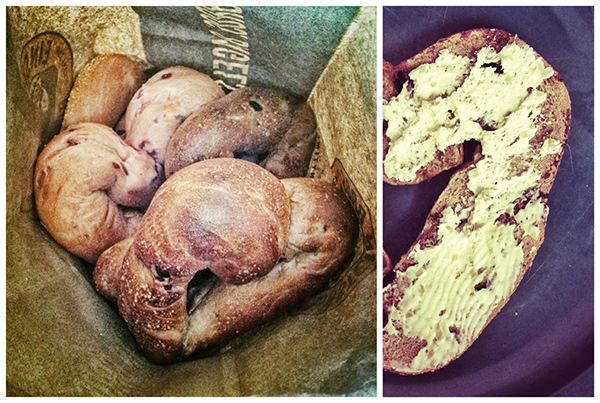
Even Einstein's has heart shaped bagels today....

I made brownies for my sweetie and put chopped cherries in them. Soooo good. ( guess who had to eat the trimmings?

We had a salad too that called for radishes. How could I resist the temptation for a photo op.

And this is what I got my Sweetie. He loves glass. I found this at the Luma Gallery at the Broadmoor in Colorado Springs.

All photos processed with Snapseed on the iPad. (and taken with my iPhone)

Have a blessed Valentine's Day everyone!